
Track competing supply still in planning
Draw your submarket and see the apartments, homes, and industrial sites planned there, before they compete with yours.
7-day free trial. No credit card.
How it works
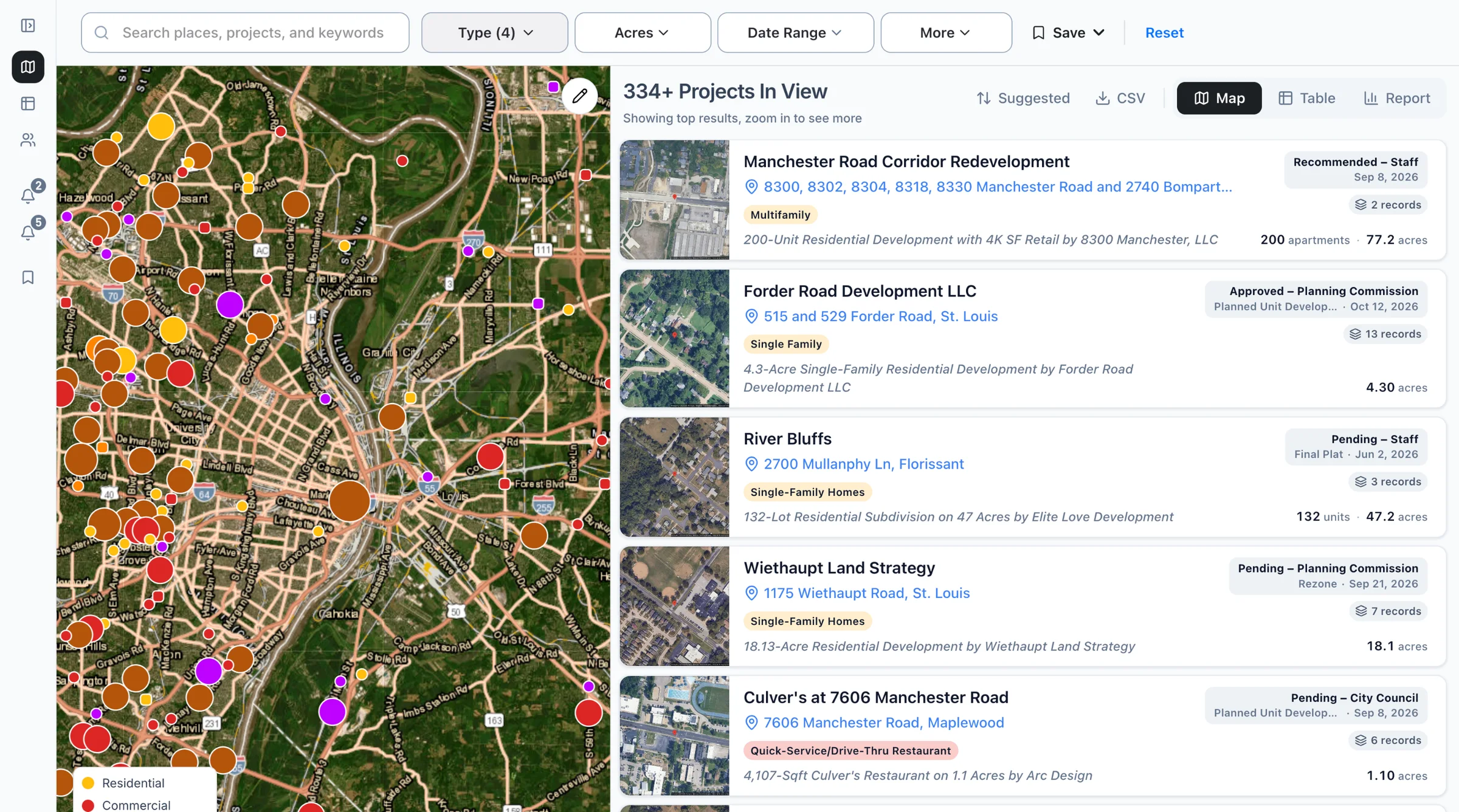
Draw your market
Draw a circle or shape around your site, then filter by type and size, like 200+ units.
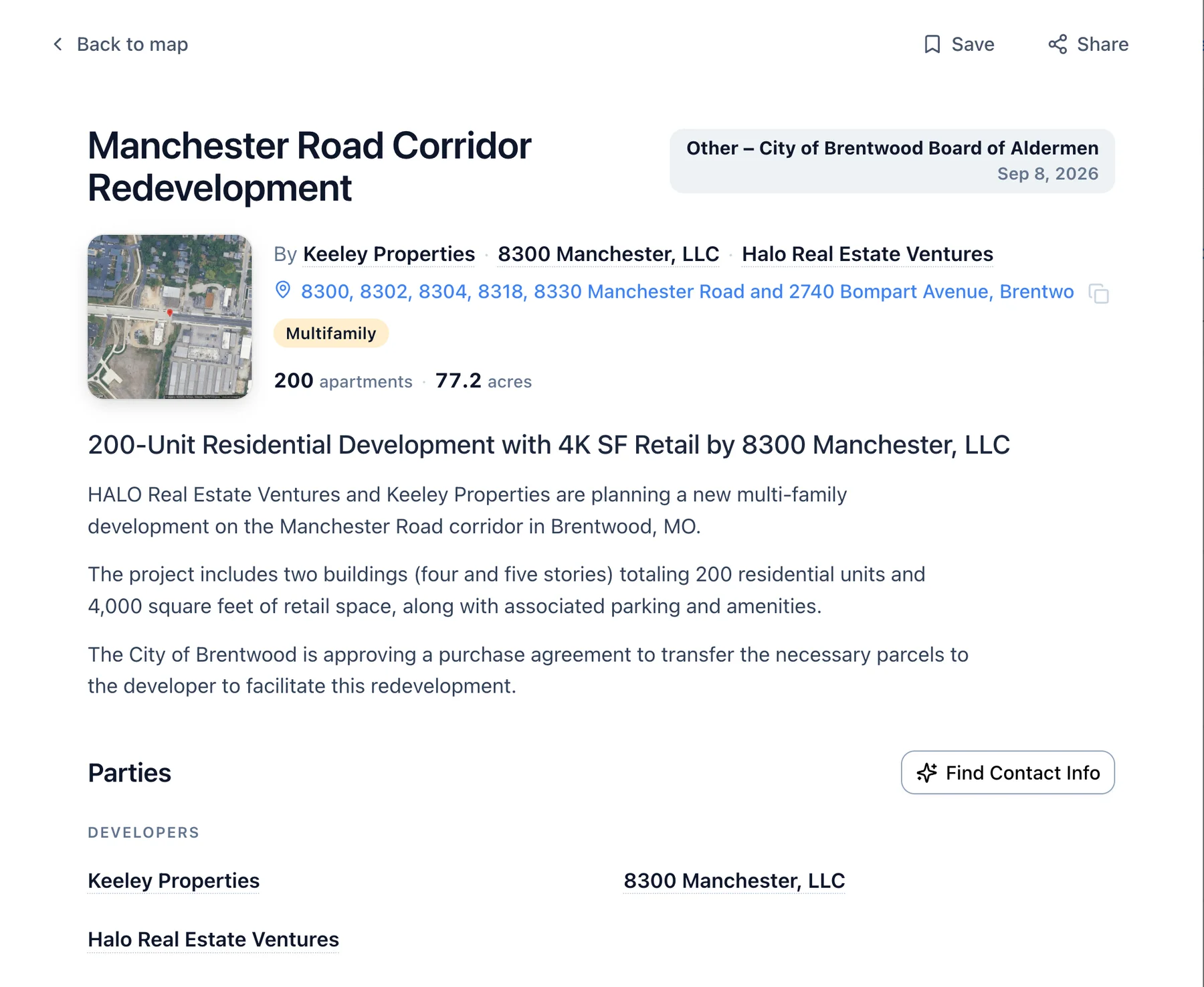
Size up each project
Open a record for units, acres, stage, and who filed it, with the filing behind it.
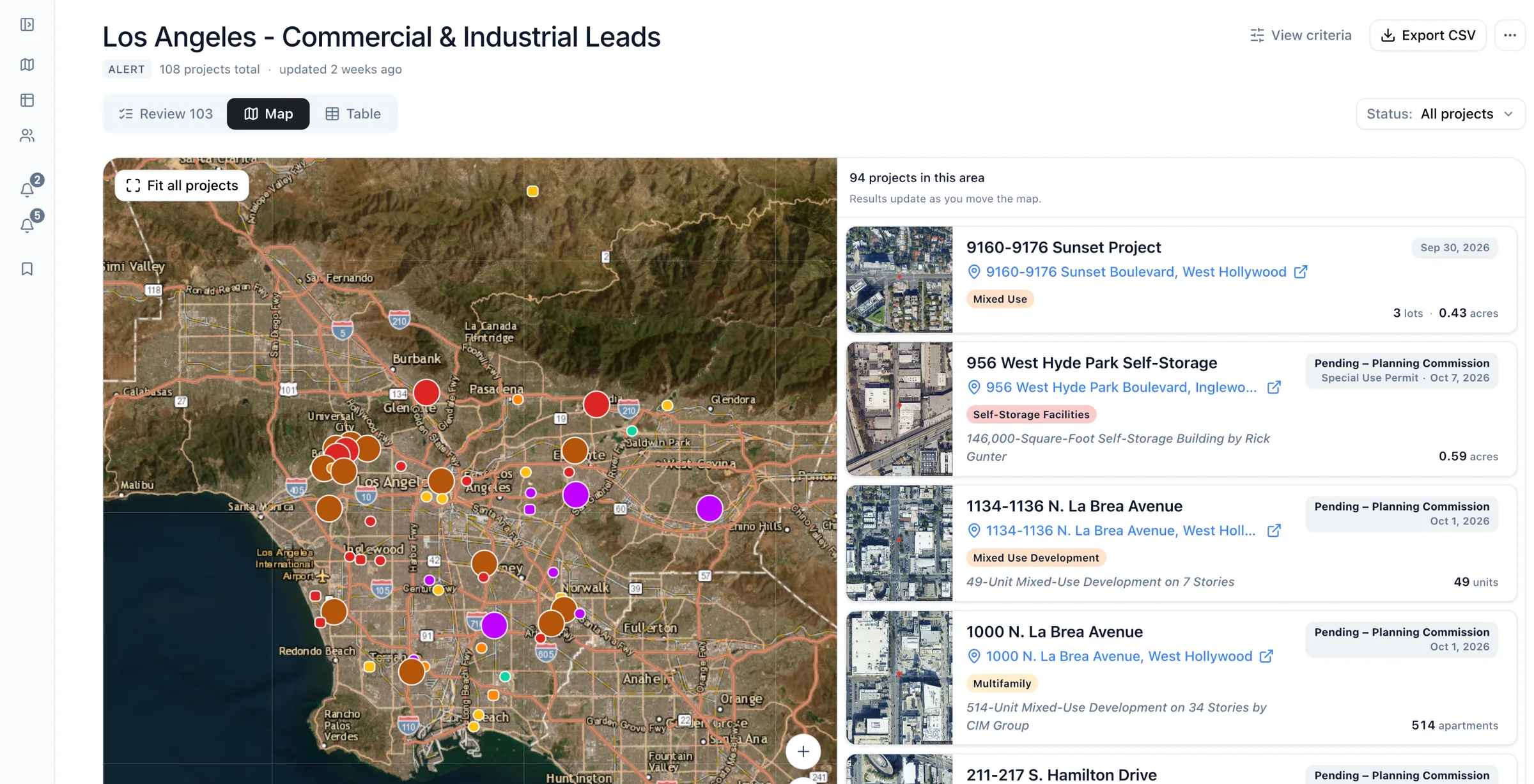
Save it to a List
Keep competing projects in a List with notes, and share it with your team.
As of Examples built from real recordsHow we count
Common questions
- Can I compare two submarkets?
- Yes, filter each submarket in Boardwalk and save its projects to its own List. Export both to CSV to compare units and acres side by side.
- Do denied or withdrawn projects still show?
- Boardwalk shows each project with its latest status from the filings, such as approved, continued, denied, or withdrawn. Filter by status to drop the denied and withdrawn ones.
- Do all projects state their size?
- No, Boardwalk's size fields depend on the filing, and an early agenda line may give none. If the filing doesn't state a detail, the field stays empty.
Know your competition before it's built.
Draw your market and see what's planned.